| GINO Graphics Suite - GINO v9.0 |  |
| GINO Graphics Suite - GINO v9.0 | |
Fog simulation is available on devices that provide 3D lighting and shading facilities and can be useful for added visual realism in a scene. This special effect mixes a user defined colour into the scene based on the distance from the viewer that each object is drawn. The same routine can either add the colour based linearly on the distance from the viewer (which is essentially depth-cueing), or more realistically on an exponential function of the distance.
The routine to define the required fog attributes is:
gDefineFog(mode, colour, [gStart,gEnd,gDensity])where mode can be one of:
For most fog applications, the fog colour would be white, although any colour can be used, passed either as a colour index or a 24bit RGB triplet.
The optional arguments to the gDefineFog() routine specify the arguments to various fog modes.
The GLINEAR fog mode can be used for depth-cueing, where objects are obscured according to their distance from the viewer. In this mode the start and end distances (gStart and gEnd) specify the viewing range over which the fog should be applied. For example, in a perspective view drawn within a viewing volume with a depth of 1000.0, specifying start and end values of 500.0 and 1000.0 will cause the fog to start half way through the volume and be at full density (i.e. the fog colour) at the back of the viewing volume.
For GEXP1 and GEXP2 fog modes, the gDensity setting controls the exponential calculations. Density values of around 0.0025 give realistic effects.
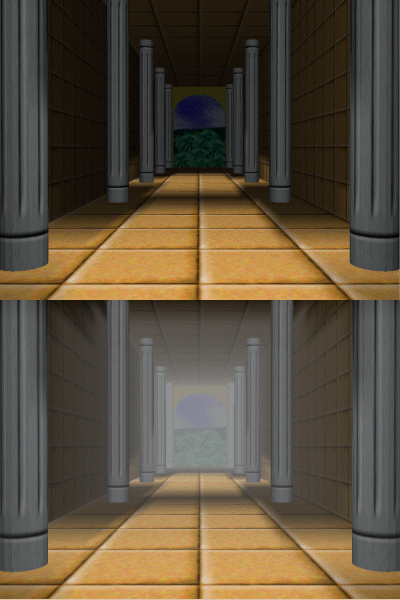 |
Adding Fog to a Scene |
The current fog settings can be enquired using the routine:
gEnqFog(attribs)where attribs is a structure of type GFOGATT containing values that are the default settings or those set by the last call to gDefineFog().